

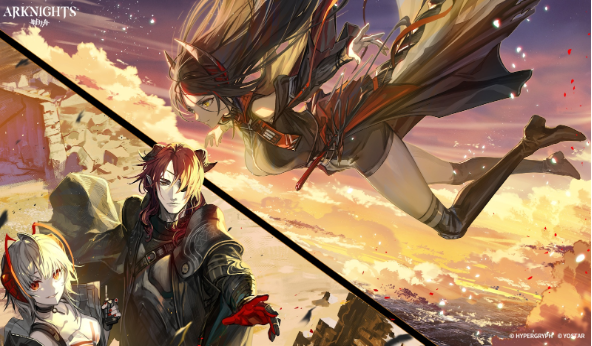
Quick clarification up front, just so this doesn’t accidentally sound like an official thing. Arknights is still a mobile game. There isn’t an official PC client I’m pointing you to here. When people say arknights pc, they usually just mean they want to play Arknights on PC by running the mobile version through an Android emulator.
Same game. Same account. Just a different way to view and control it.
Why Some Players Move Their Arknights Time to a Computer
Arknights is one of those games that looks simple for about five minutes. Then you hit a stage where everything goes sideways, you’re trying to drop a Defender, your thumb lands half a centimeter off, and suddenly your whole plan is gone. Like, instantly.
That’s basically the reason people try arknights pc in 2026. Not because it changes Arknights, it doesn’t. It just cuts down a bunch of little friction points you’ve probably learned to tolerate on a phone. Bigger screen, more precise control, and less day-to-day hassle.
Let me break it down without making it sound like a tech brochure.
The Screen Size Thing Matters More Than People Admit
Arknights is a strategy game. Strategy games love space.
On a phone, everything is packed in. You’re watching lanes, checking DP, watching skill icons, keeping an eye on that one enemy that always slips through… and it’s all happening on a screen that’s also trying to show you your battery percent and a notification bubble. On a monitor, the map just breathes. You can actually see what’s going on without doing the weird squint-lean thing.
And yeah, that helps with:
- Placing Operators where you actually meant to place them.
- Spotting enemies earlier (especially the fast ones).
- Reading skill timers and SP bars without guessing.
- Just feeling less cramped during messy waves.
It’s not some magical advantage. It just feels more comfortable, and honestly, a bit less annoying.
Mouse and Keyboard Feel Weirdly Right for Arknights
If you’ve only ever played on touch, mouse control sounds like it would be clunky. But once you try it, it clicks. Dragging an Operator with a mouse is just cleaner. You don’t get the same oops, my finger covered the tile” problem. And if you set up hotkeys, popping skills becomes way less stressful. This is where Play Arknights on PC starts feeling like the game is getting out of your way. Not because it’s a different build of Arknights, but because your inputs are more precise.
A few things that tend to feel better right away:
Skill activations: hotkeys are a big deal when timing matters.
Fast menu movement: base, operators, upgrading, recruiting… it’s just faster.
Less mis-tap pain: the number of runs I’ve lost on mobile from one bad tap, honestly.
If you’re the type who likes tight clears, this setup is just easier to live with.
Stability Is the Quiet Reason People Stick With It
Phones in 2026 are powerful, sure. But they’re also juggling everything. Messages, background apps, heat, battery saving. And Arknights can run fine until it doesn’t. On a PC setup, you’re usually not dealing with battery anxiety, sudden dimming because the phone got hot, or the game reloading because you switched apps for two seconds.
So the experience becomes stable. Boring, in a good way. And stability matters in a game where one tiny slip can ruin a run. To be clear, arknights pc isn’t some special upgraded edition. It’s just the mobile game running in a setup that tends to interrupt you less.
Real-Life Example: The Evening Routine Upgrade
This is the part that convinced someone I know to switch. They’d play Arknights after work on their phone. Not hardcore, just daily stuff, base management, event farming. But it always went the same way: start a run, get a message, jump to reply, come back, Arknights reloads. Or the phone hits 20%, and now it’s the whole charger dance. They tried to play Arknights on PC one night, mostly out of curiosity. Game in a window. Music on. A guide open on the side. No reloading, no battery panic, no juggling. And the funny part is, it wasn’t even about “performance.” It was about the game fitting into their normal life better, which is kind of the whole point.
Multitasking Is Honestly a Huge Win (Especially During Farming)
Look, Arknights has grinds. It’s not an evil grind, but it’s there: events, materials, skill books, chips. You know the deal.
On PC, that part feels less annoying because you’re already sitting at a machine that’s built for multitasking. You can have:
- Arknights running in one window.
- A stage guide, spreadsheet, or tier list open (if you’re into that).
- YouTube or a podcast is going.
- Discord chat on the side.
It sounds small, but it adds up. On mobile, doing any of that feels like juggling. On PC, it’s just normal.
Emulators in 2026 Are Way Less of a Headache Than They Used to Be
Since Arknights is a mobile game, arknights pc usually means using an Android emulator. The good news is that emulators are pretty mature now. Setup is easier than people think. You’ll see a lot of folks mention MuMu Player for Arknights. It’s popular because it’s straightforward, runs well for a lot of players, and keymapping tends to be painless.
Are there other emulators? Yeah, definitely. But the main advice is the boring advice:
- Download from the official site.
- Don’t install sketchy modded versions.
- Keep it updated.
- Use normal login methods and secure your account.
Also, just use common sense. If a download page looks like it was designed in 2009 and screams at you with popups, maybe don’t.
Quick Setup (Not a Full Tutorial, Just the Normal Path)
If you want the basic flow, it’s usually like this:
- Install an emulator (MuMu is one common choice)
- Open it, sign in to the Google Play Store
- Download Arknights like you would on a phone
- Adjust a couple of settings (resolution, performance mode, controls)
- Set up a few keybinds if you want (skills, speed toggle, menus)
That’s pretty much it. The first time might take a little fiddling, but after that, it’s just click and play. If your goal is simply to play Arknights on PC without drama, this is the route most people take.
So… Should You Use a PC or Stick to Mobile?
This part’s simple. It depends on how you play.
Playing arknights pc tends to make sense if you:
- Play longer sessions (events, story nights, farming).
- Care about precision and timing.
- Want comfort (bigger screen, better posture, less hand strain).
- Like recording clears or streaming.
Mobile still wins if you:
- Only do quick check-ins.
- Commute, travel, play in bed, play on breaks.
- Want the easiest open-and-go option.
Most people end up doing both, honestly. PC at home, phone when they’re out.
The Real Takeaway
If you already like Arknights, arknights pc through an emulator doesn’t change the game. It just removes a bunch of tiny problems you’ve probably accepted as normal: cramped screen, mis-taps, heat, battery, app switching, all that.
If you’re curious, try it for one evening. Pick a reputable emulator (a lot of players go with MuMu), log in normally, run a few stages, and mess with keybinds. If you catch yourself thinking, oh, this is nicer, then you’ve got your answer, and you’ll probably keep choosing to play Arknights on PC when you’re home.